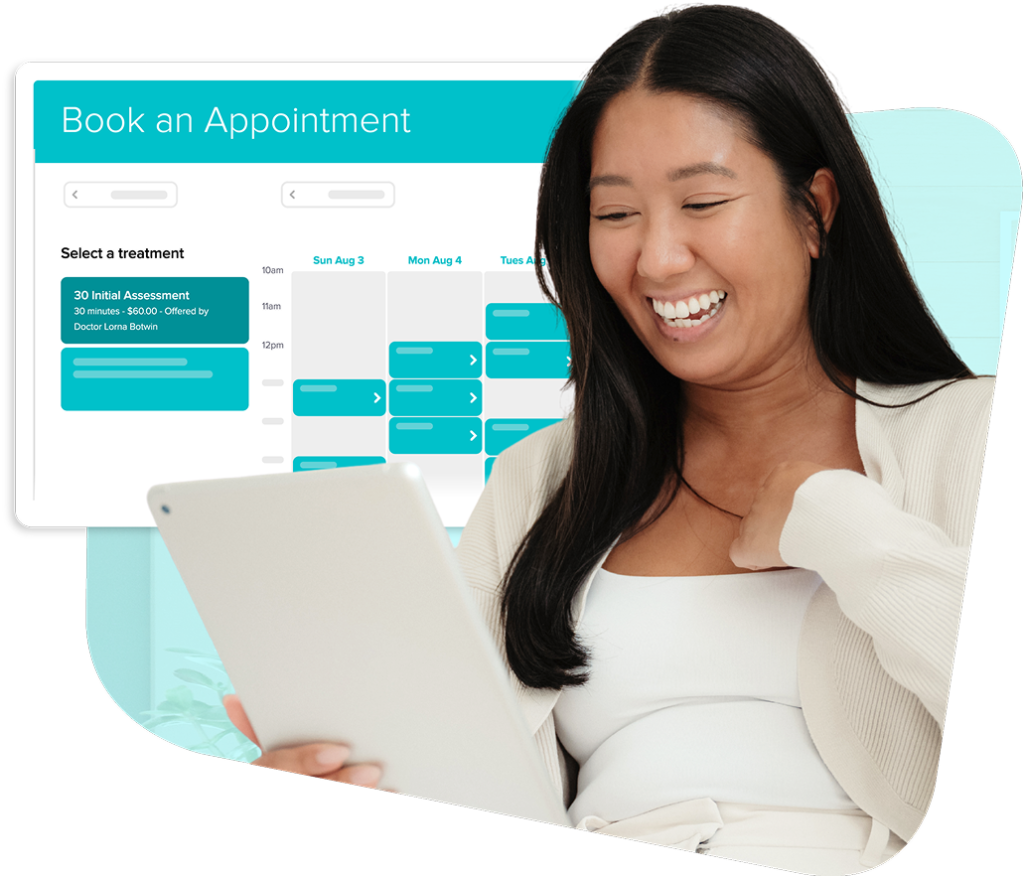
Online Booking
Make it easier for patients to book care
Give patients a simple way to book, prepare, and pay for their appointments without the extra work on your end.
Overview
Booking shouldn’t take over your entire day
With scheduling, reminders, and payments connected and in sync, your schedule stays full, your admin stays light, and your day stays on track.
Here’s what sets Jane’s online booking apart:
- Real-time booking that keeps schedules accurate and up to date
- Built-in reminders and waitlists that help reduce no-shows and fill gaps
- Integrated payments and patient intake handled in one place
- Secure and compliant, designed for healthcare professionals
Benefits
Keep your busy schedule running smoothly
Jane’s online booking is designed for the unique way clinics work. Smart features and automations help make sure your day is focused on providing great care, instead of phone calls and emails.
Flexibility
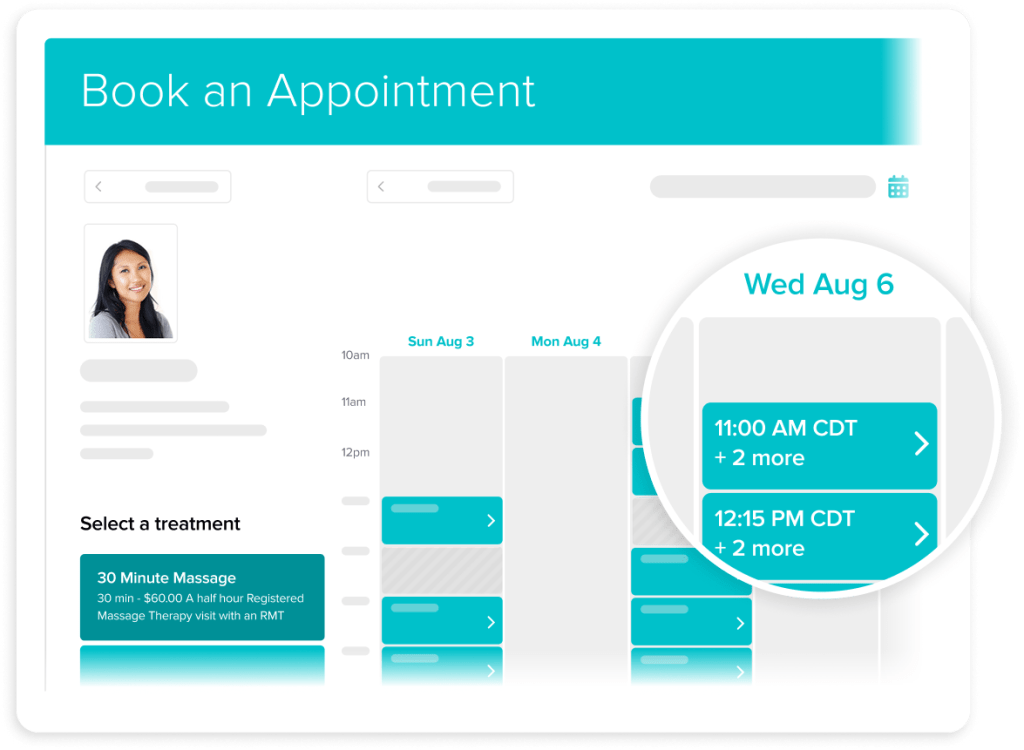
Shape booking around your schedule
You set the boundaries, and Jane’s online booking follows them. Your schedule stays protected and up to date.
- Share your booking link on your website and social channels
- Control which treatments, times, locations, and staff are bookable online
- Select from options like staggered start times and rolling availability
- Sync your personal calendar with Jane for real-time accuracy
Less Admin
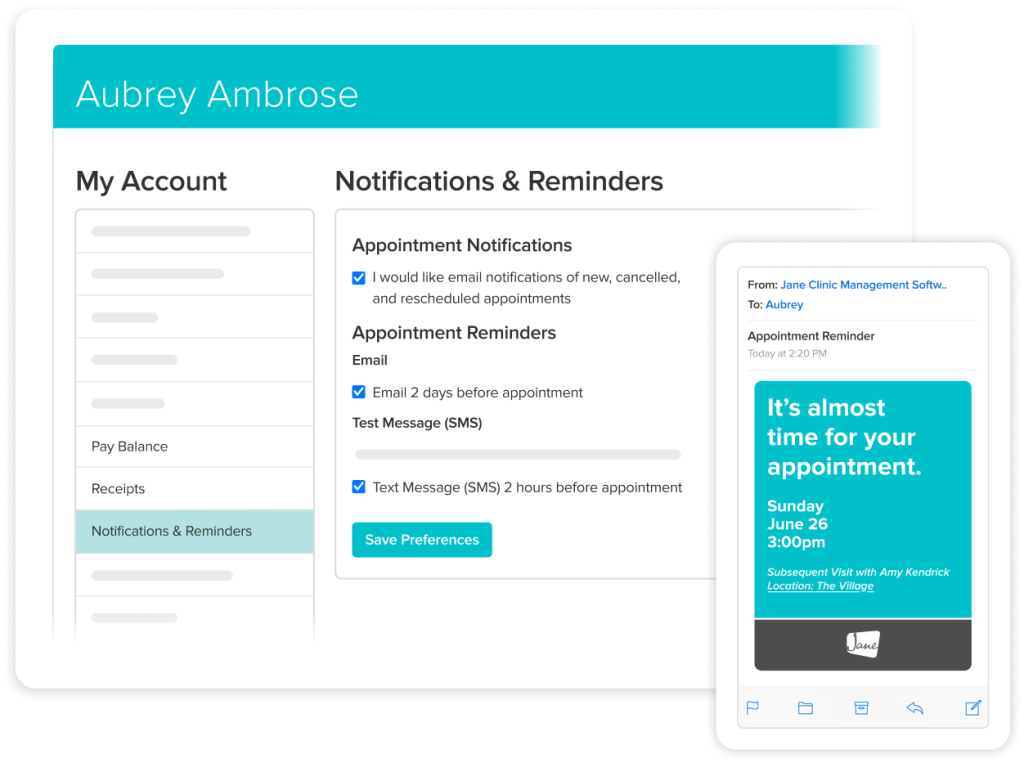
Reduce your front desk admin
Confirmations, reminders, and appointment prep happen automatically, so you can spend more time focused on care.
- Send automatic confirmations and reminders by email or SMS
- Notify patients when new spots open up with waitlist alerts
- Share intake and consent forms and reminders automatically
Patient Experience
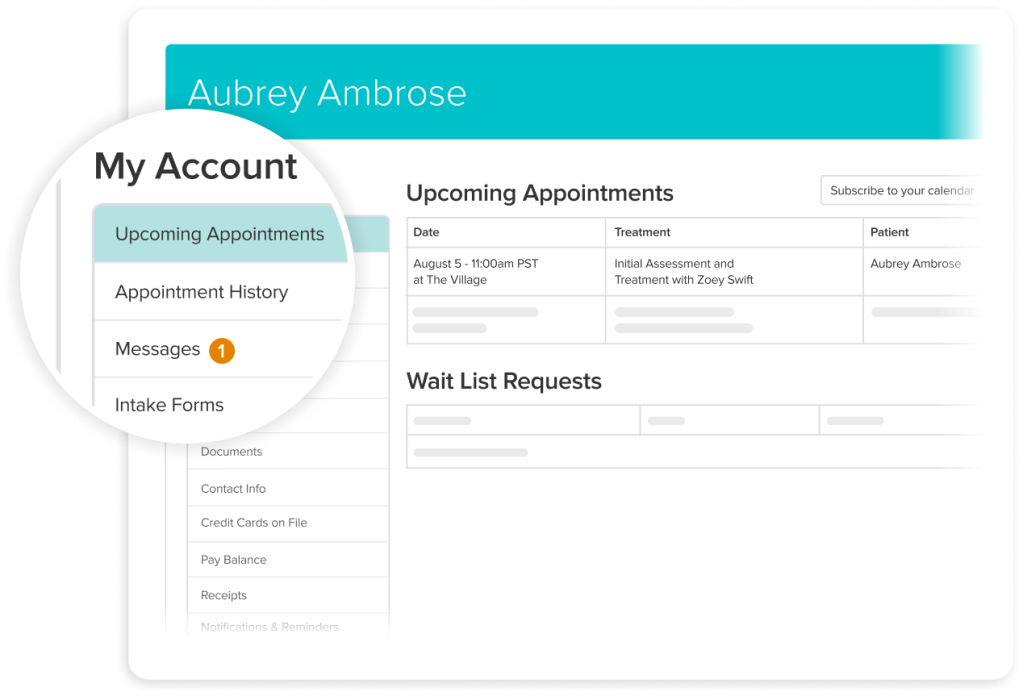
Help patients manage their care
Jane’s Patient Portal makes it easy for patients to keep up with care for themselves and their family members, all in one place.
- Upcoming appointments and easy cancellations or rescheduling
- HIPAA and PIPEDA-compliant messaging between patient and provider
- Secure payments for outstanding balances and receipts
- Access to shared documents, charts, and health records
Before the Visit
Be ready before your patients arrive
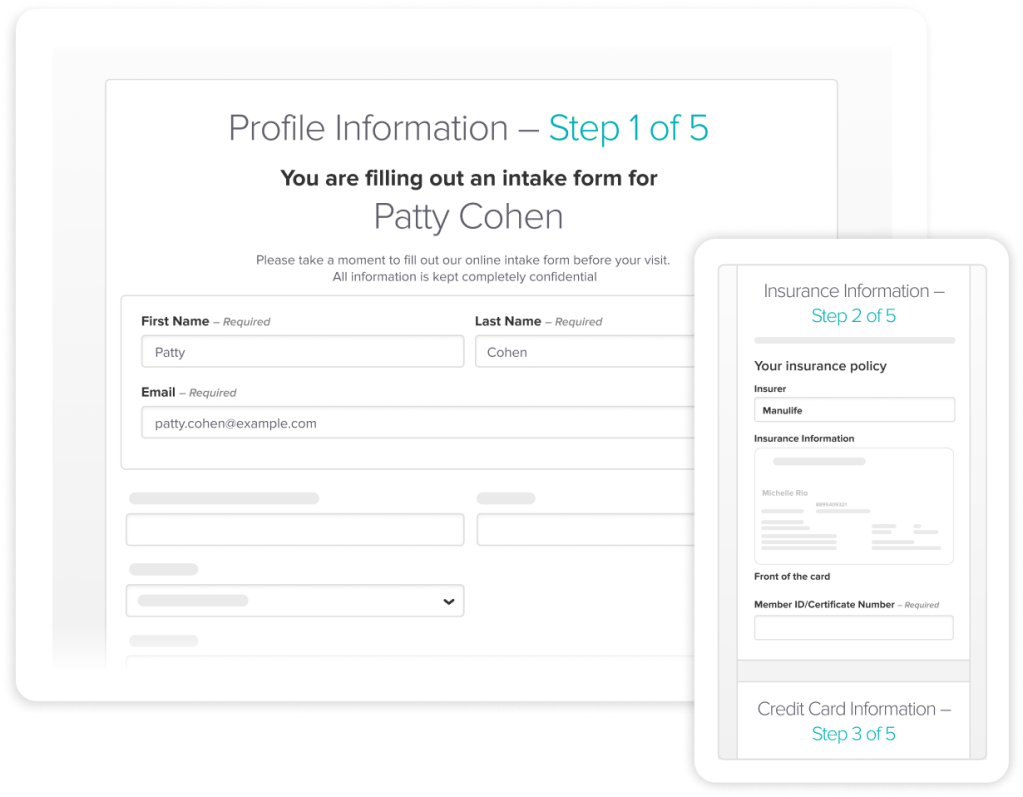
Jane gathers the details you need ahead of time, so appointments start on time and visits run smoothly.
- Save details from intake forms to patient profiles, automatically
- Collect insurance and payment details during patient intake
- Get patient consent and visit details before the appointment
Customization
Integrate your brand into every moment
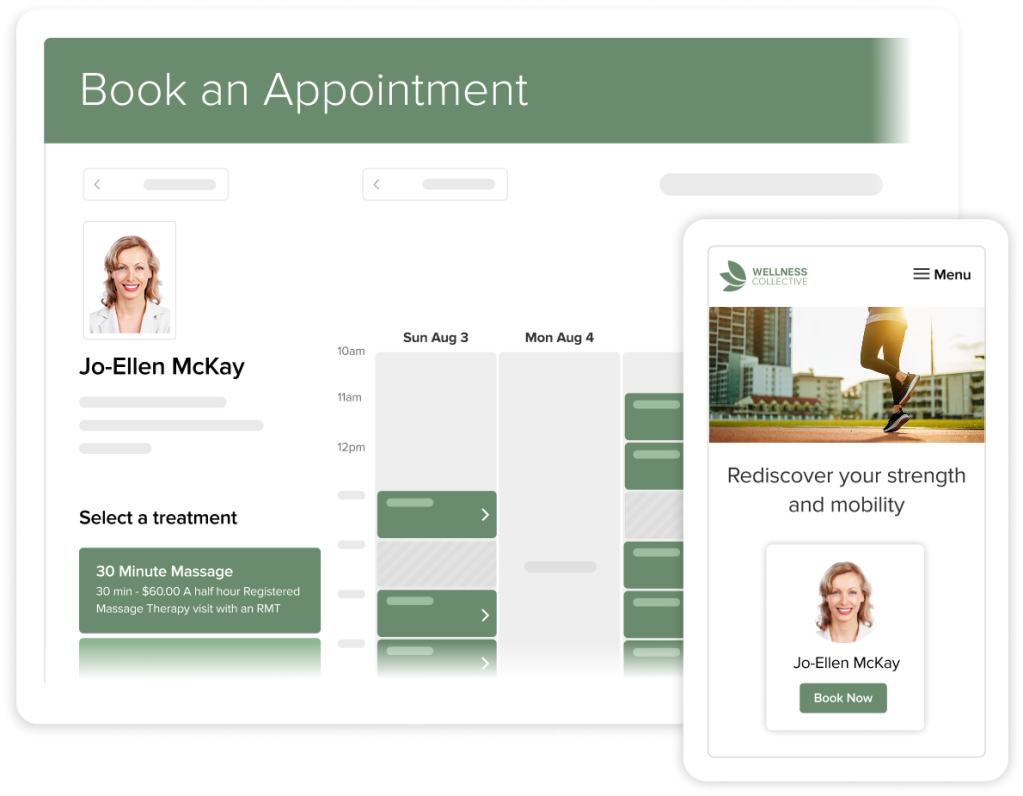
Booking is often the first interaction patients have with your practice. Make it consistent, familiar, and delightful with Jane.
- Brand your booking page with your logo and color scheme
- Keep your website and booking experience consistent
- Set up and update your booking page and settings anytime
Testimonials
Loved by 240k+ practitioners
We built Jane to ease the admin load, and practitioners have noticed. With a 4.8-star rating on Capterra and 450+ reviews, Jane is trusted by clinics like yours every day.





Resources
Access thoughtful resources for managing your practice

Article
How to set up a booking system that your clients will use
Learn how to build a simple, easy-to-navigate booking experience for your clients with Jane Online Booking.

Article
6 tips for reducing no-show appointments
Discover simple ways to set clear policies, use reminders effectively, and make it easier for patients to follow through on their appointments.

Guide
Online booking
Follow step-by-step guidance to customize what patients see, control availability, and create a booking experience that works for your practice.
Why Jane
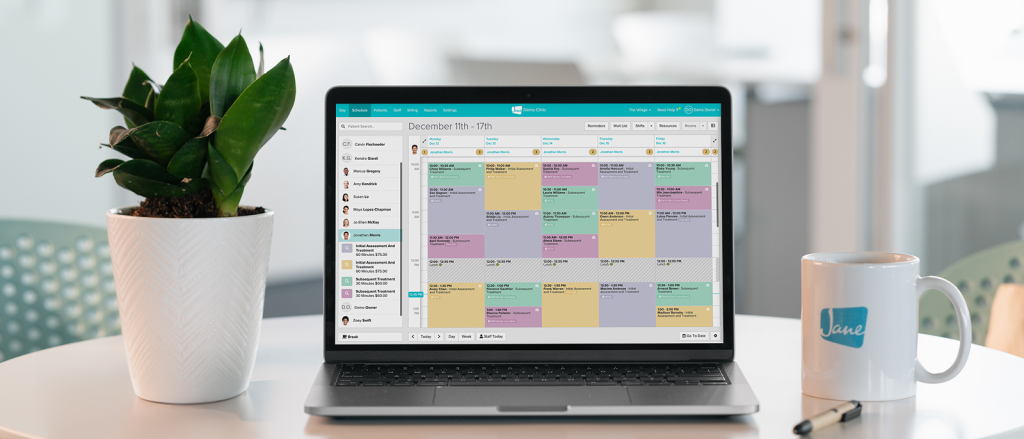
Designed for the way you provide care

Less admin, more time
Jane’s all-in-one, easy-to-use software reduces admin so you can focus on doing your most impactful work.

Flexible by design
We know every practice is different. Jane was built to meet the unique and changing needs of your business.

Better patient experiences
Jane makes it easy for patients to keep up with their care, creating great experiences time and time again.

Helpful human support
When you join Jane, you get an expert team and community of helpful people committed to your clinic’s success.
Frequently asked questions
Yes, you call the shots. You decide which services, practitioners, locations, and appointment times are available online. You can also customize descriptions, booking instructions, and policies so your booking page reflects how you run your practice.
You can automatically send intake forms after booking so information is collected ahead of time. That means fewer back-and-forth emails and a smoother first visit.
Add your logo, adjust colours and backgrounds, and personalize messaging so your online booking page feels like a natural extension of your website.
Yes, your data security is a priority for Jane. We use encrypted data, secure hosting, and strict access controls to protect patient information. Plus, we’re built to support compliance with regulations like HIPAA in the US and PIPEDA in Canada, and we continuously review our practices to meet evolving privacy standards.
You can learn more in our Privacy Policy.
Yes, Jane’s online booking tool can easily support both one-on-one appointments as well as group sessions and classes.
Definitely. With Jane Payments, you can collect a credit card at the time of booking and choose to use it for pre-payment, late cancellation fees, and/or no-show protection.
Of course. Online Booking can be enabled or disabled whenever you need, for holidays, schedule changes, or transitions in your practice.
No problem. You can choose exactly which services are bookable online and which require a phone call or manual scheduling. Online Booking works alongside your existing workflow, not instead of it.

Get Started
Run your practice with Jane
Ready to make the day-to-day feel easier? Jane is here to help.