
billing & insurance
Manage your full insurance billing flow
Jane integrates with Claim.MD to handle every step of your revenue cycle, from eligibility checks all the way through to collecting payments.
OVERVIEW
Don’t let your revenue cycle run you in circles
Jane makes it easy to collect policies, check eligibility, submit claims, receive remittances, and get paid quickly. No endless follow-ups and uncertainty.
Here’s what sets Jane apart:
- Patients can share policies in advance on their online intake form
- Claim.MD checks every claim for errors before sending to payers
- Jane pre-populates secondary claims with primary responses
- Automatically request payment for remaining balances after claims settle
Benefits
Jane helps you manage your entire revenue cycle
With insurance billing managed within Jane, you get a clearer understanding of patient policies and eligibility, and an easier process for submitting claims, receiving remittances, and collecting payments.
pre-arrival
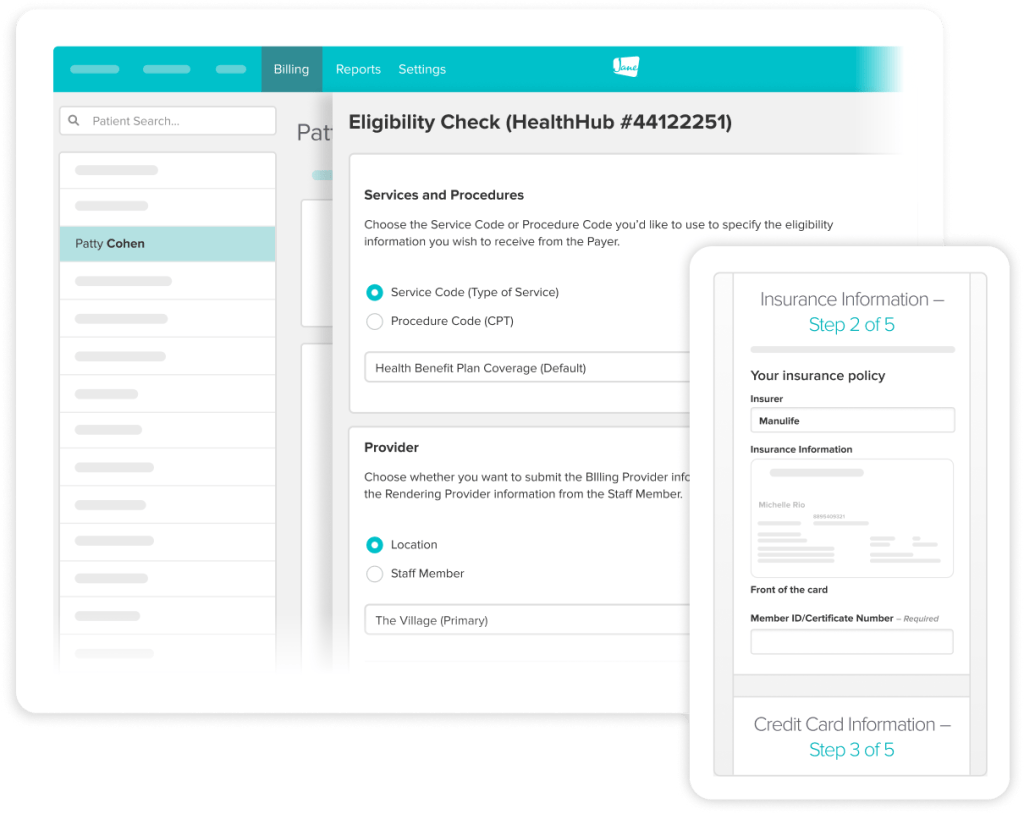
Get insurance information early
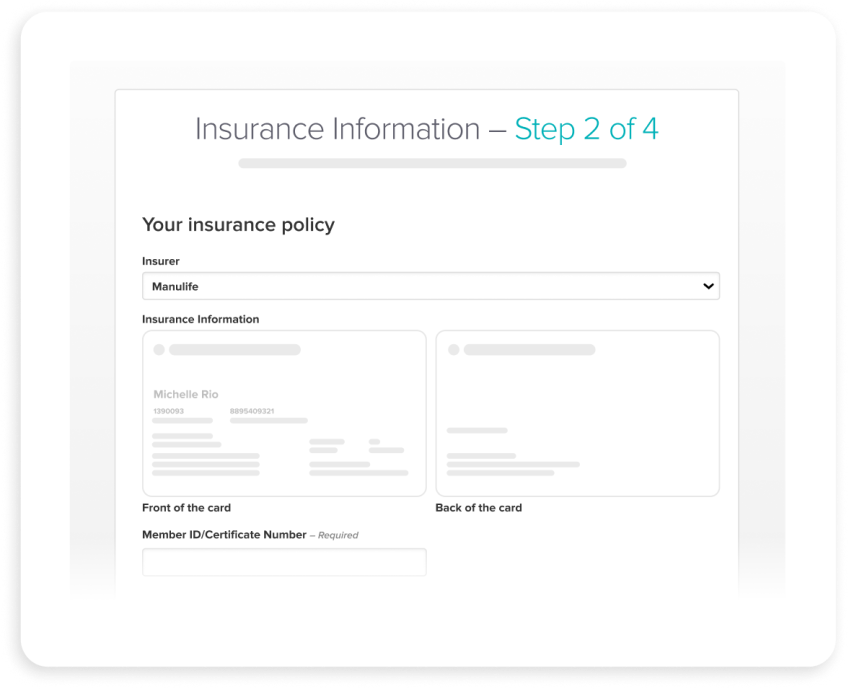
It’s easy for patients to share policies with an insurance card upload field right on your online intake form.
- Instantly check eligibility through the Claim.MD integration
- Clearly set expectations on billing guidelines and accepted insurers
- Securely collect a credit card on file for patient responsibility
arrival
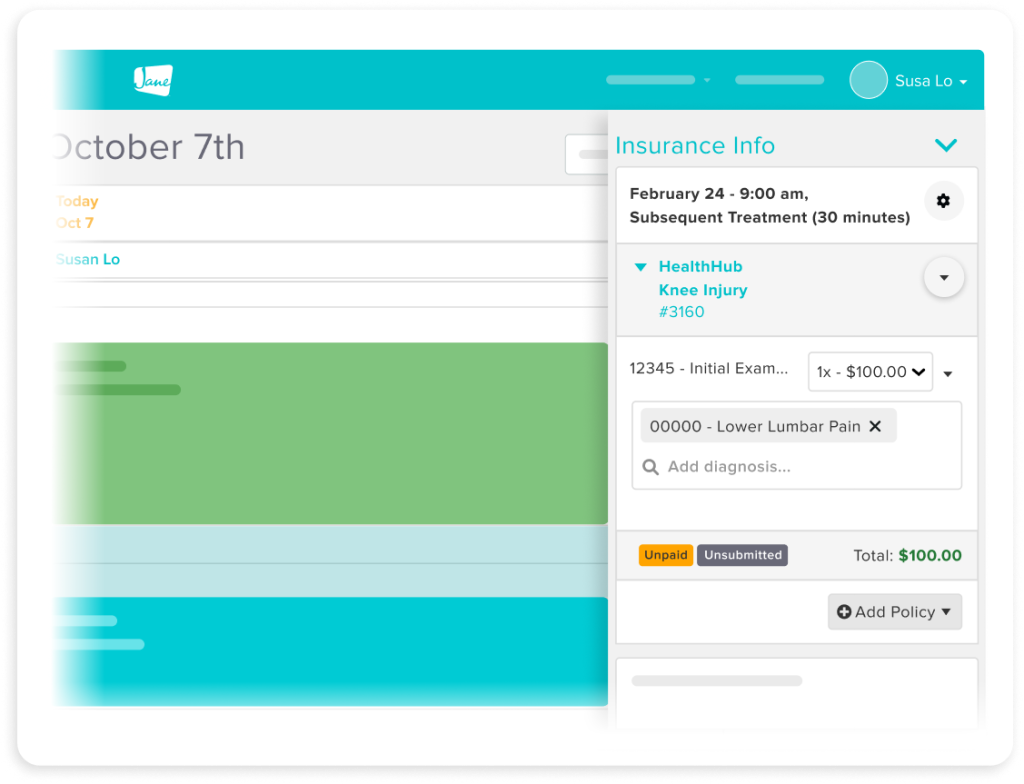
Streamline check-ins and payments
Billing details can be tied to treatments and carried over from past visits for quick, easy, and on-time payments.
- Speed up checkout by carrying over billing from past visits
- Automatically calculate amount owed based on your patient's policy
- Collect payments in person or through a follow-up payment link
claim submission
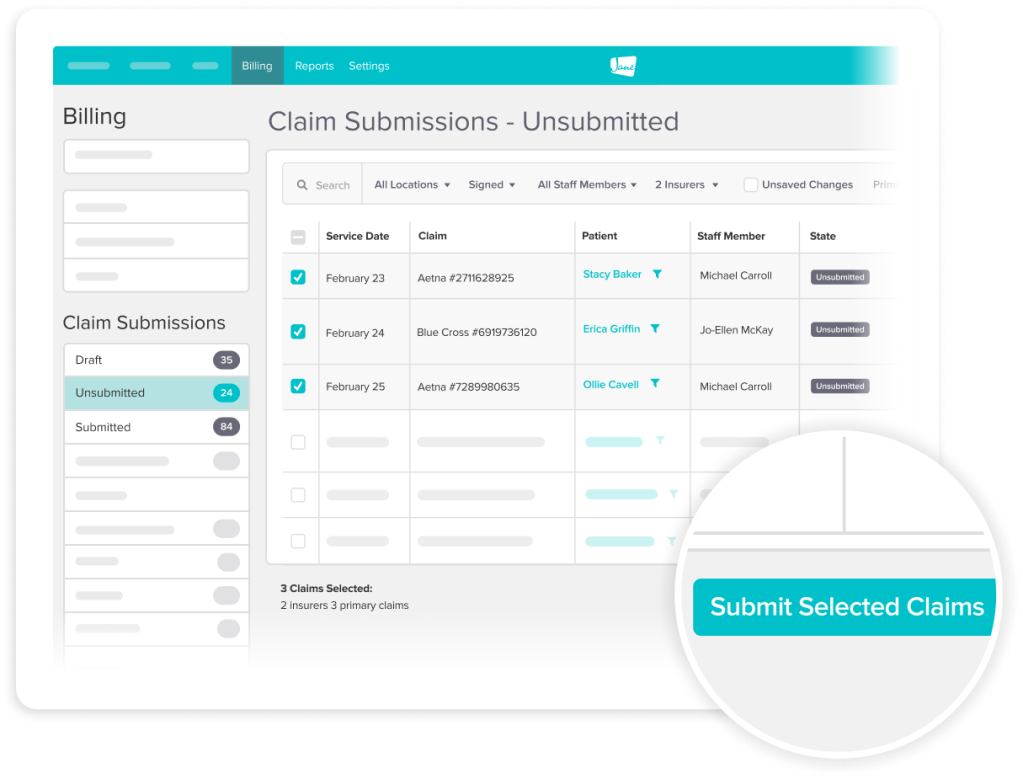
Submit claims easily and efficiently
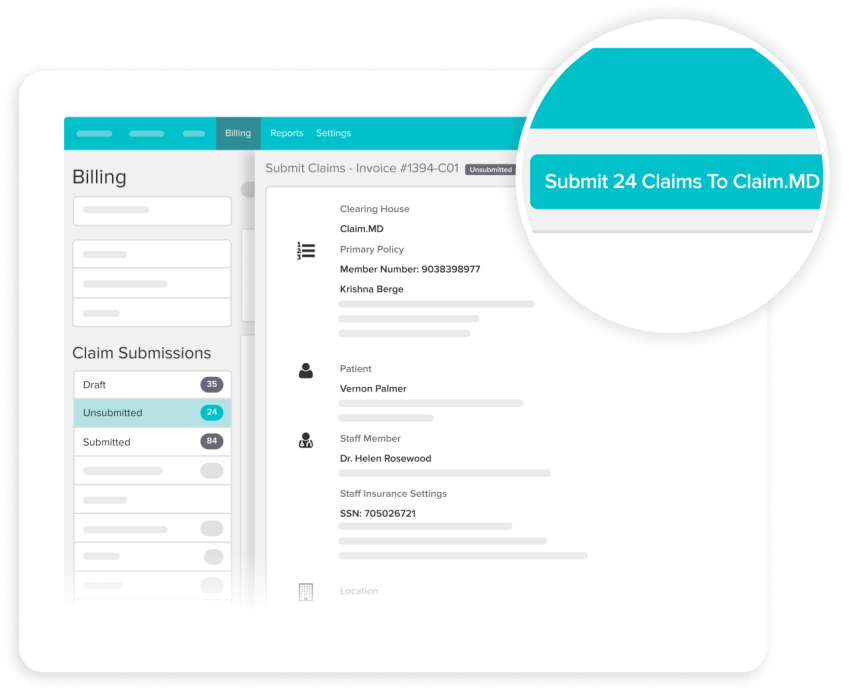
Claims are created as part of your existing workflow and can be submitted directly to payers with Jane’s Claim.MD integration.
- Sync CPT and ICD-10 codes between patient notes and appointments
- Prevent claim rejections with Claim.MD's advanced scrubbing feature
- Print batched or individual CMS-1500s when you need to paper bill
claim tracking & remittance
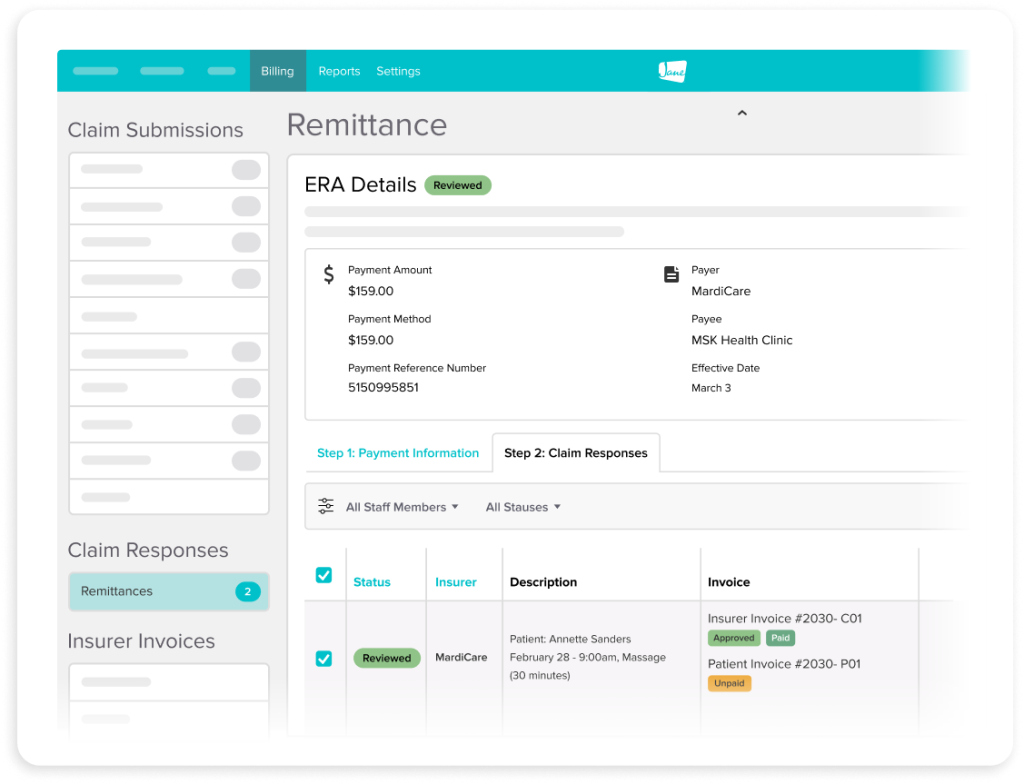
Stay organized with real-time tracking
Know exactly where every claim stands, and handle ERA processing without the need for extra tools.
- Track the number of treatments left in a patient's course of care
- Receive responses, manage rejections, and resubmit claims, all in Jane
- Receive ERAs with Claim.MD or upload from a non-integrated payer portal
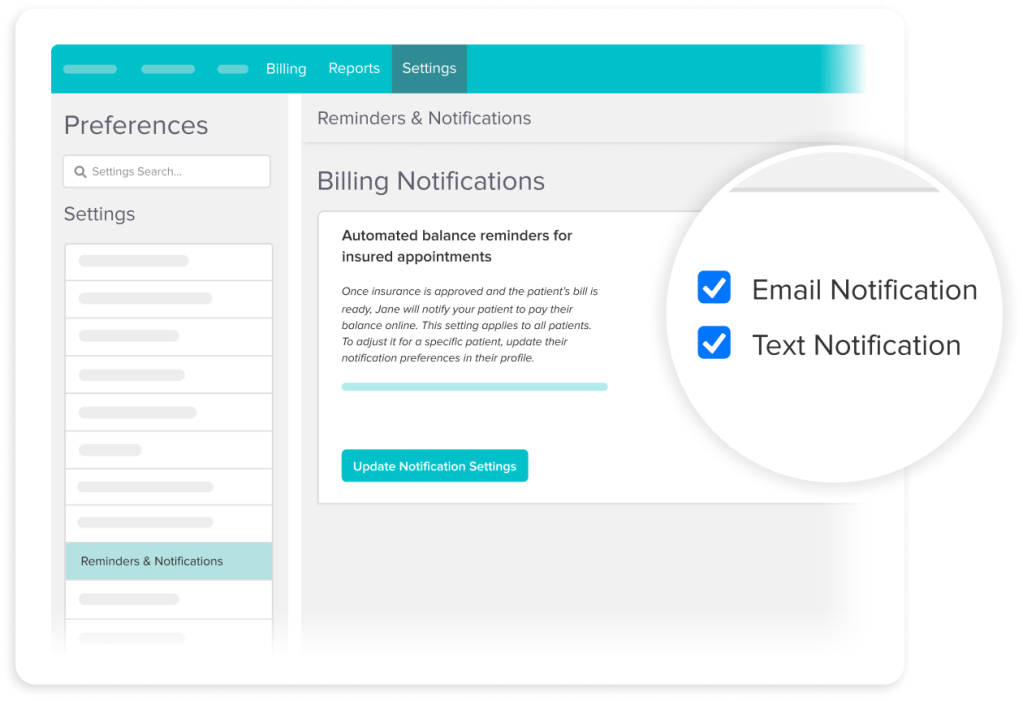
Patient collections
Manage payments and balances
Stop chasing patient balances. Jane does the follow-up for you so you can focus on providing care.
- Automatically send payment requests for balances once claims settle
- Email patient statements with a secure online payment link included
- Charge a card on file or send a payment reminder via SMS or email
- Hide financial details in emailed documents to keep data secure
How it works
Get paid after appointments with less manual work
Patients upload their insurance card and policy info through online intake forms before their appointment.
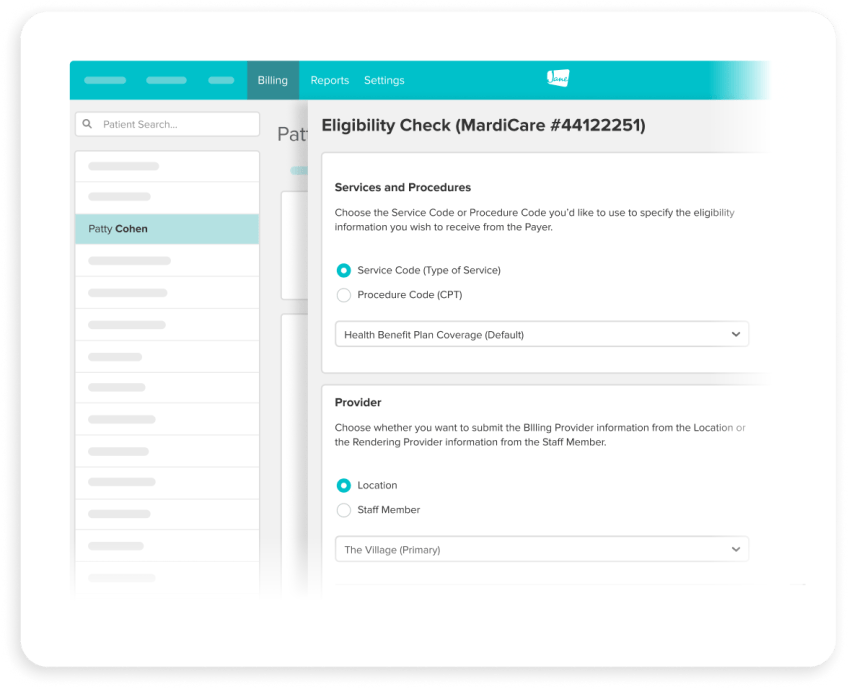
Run an eligibility check through Claim.MD to confirm coverage and set patient expectations from the start.
Billing can flow directly from your documentation. Once you’re ready, batch submit electronically right in Jane.
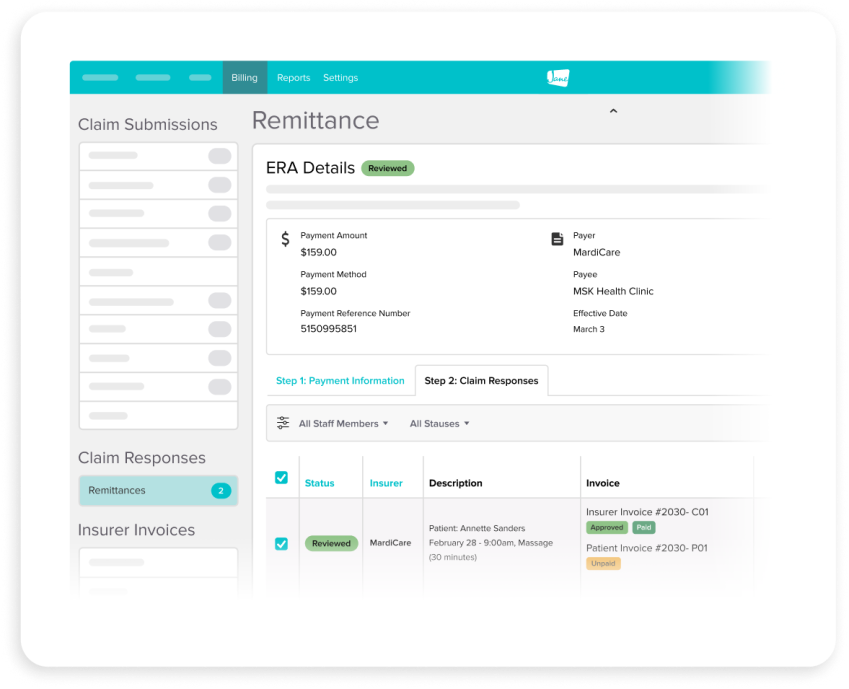
ERAs are received directly in Jane, matching responses to invoices for quick approval.
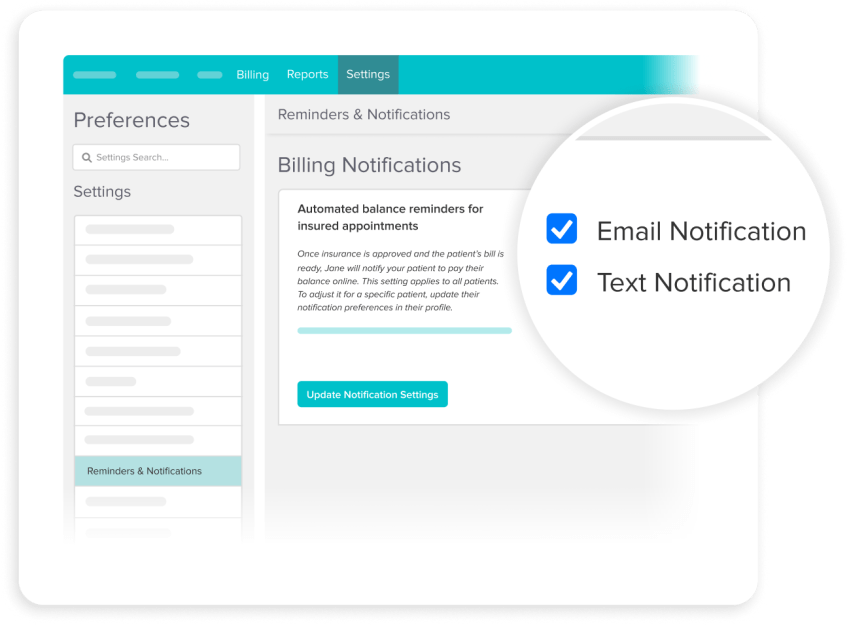
Send secure payment requests manually or automatically once claims settle. Or charge a card on file for any remaining balances.
Resources
Access thoughtful resources for managing your practice

Guide
Getting started with US insurance billing in Jane
Step-by-step setup for connecting Claim.MD, checking eligibility, and submitting your first claim.

Community
Join Jane’s US Insurance Billing Community
Meet providers like you who are billing with Jane and sharing knowledge.

Article
Cash vs. Insurance Billing: Which is right for you?
Trying to figure out which billing model will be best for you? Dive in to read about the pros and cons of different systems.
Frequently asked questions
Jane integrates with Claim.MD to handle eligibility checks, claim submission, advanced scrubbing, rejection management, and ERA processing. Learn all about the integration here.
Yes, you'll need a Claim.MD account to use Jane's integrated billing features. Check out their demo if you want to see what it's all about before signing up.
Yes. From the patient profile, you can run an eligibility check via Claim.MD to confirm coverage and get a clearer picture of costs before the visit.
Claims can be submitted individually or in batches through Claim.MD. Billing codes pull directly from your chart notes into the claim, so there's no re-entering information.
Claim.MD's advanced scrubbing catches many issues before a claim goes out. If something does get rejected, you can review it, make updates, and resubmit — all without leaving Jane.
Electronic Remittance Advice (ERAs) come in via Claim.MD and flow directly into your Jane account. Jane matches the ERA to your claim, allowing you to quickly apply payment.
Yes. Once an ERA is applied, Jane calculates any remaining patient balance. From there, you can automatically send a secure payment link, send one manually by email or SMS (with or without a statement attached), or charge a card on file.
Yes, you can print individual or batched CMS-1500 forms for situations that call for paper billing.
Jane's insurance billing features are available as an add-on to either full-usage plan, so you only pay for what you need. Jane customers also get a discount on their Claim.MD subscription.

Get started
Run your practice with Jane.
Ready to make the day-to-day feel easier? Jane is here to help.