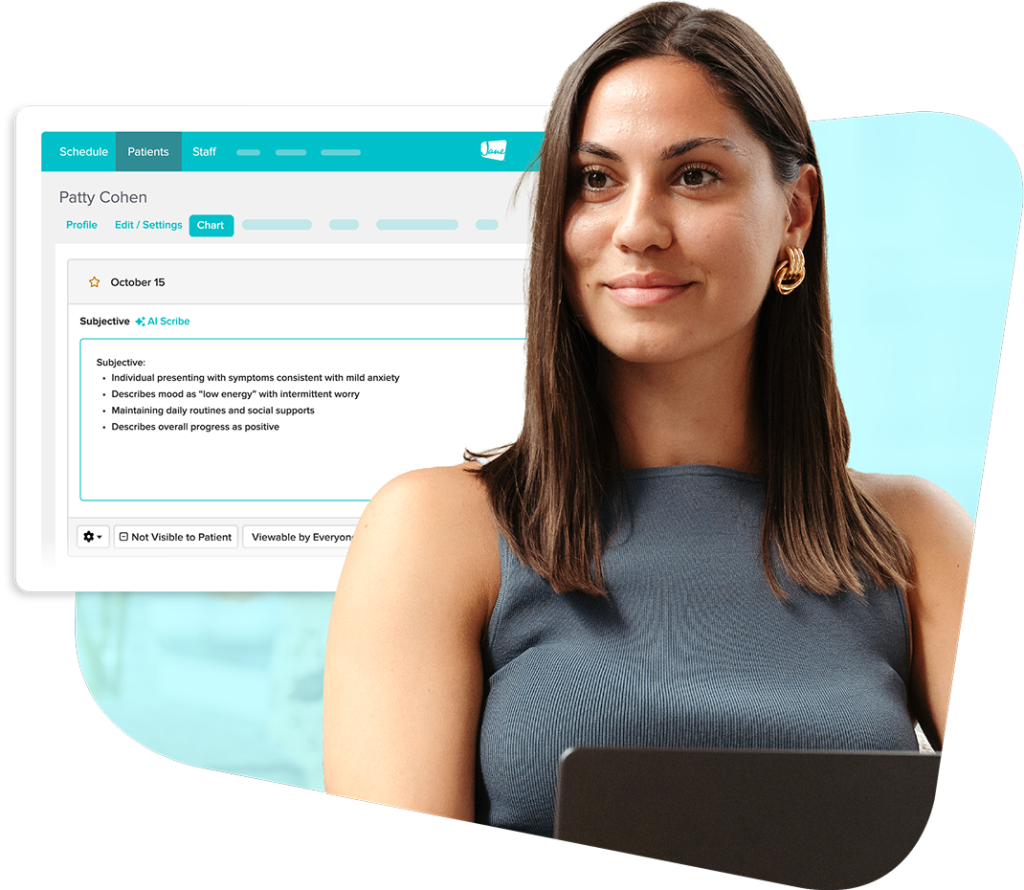
Ai scribe
Focus on care while AI Scribe handles notes
Record live sessions or use dictation to create detailed chart notes in seconds. AI Scribe notes are customizable and fully HIPAA & PIPEDA compliant.
Sign up and try AI Scribe with five free notes per month
OVERVIEW
Documentation shouldn’t get in the way of care
Built right into your Jane account, AI Scribe generates customizable, detailed chart notes that save you hours of time, and keep your practice compliant.
Here’s what sets Jane's AI Scribe apart:
- Draft accurate notes from recordings or dictation in seconds
- Get started with your own formatting or pre-made templates
- Built right into Jane, so no switching tools or copying and pasting
- Secure storage and fully HIPAA & PIPEDA compliant
Benefits
Generate detailed patient charts in half the time
Stop letting documentation spill over into your lunches and evenings. Jane’s AI Scribe automatically generates your chart notes for you and can reduce the time you spend charting by up to 50%. Based on chart completion data (Jul-Dec 2025)

Compliant
Keep your patient and clinic data secure
AI Scribe is built securely, in house, by Jane. That means privacy, compliance, and practitioner-control is built into every step, from recording, to file storage, to deletion.
- Fully HIPAA & PIPEDA compliant by design
- Data and transcripts are never used to train AI models
- Choose to securely store files or permanently delete
reliable
Create accurate, customizable notes
Reliable documentation means better organization and patient care. AI Scribe keeps you in control with a library of chart templates and full edit access for each note.
- Start with a SOAP note, pre-made template, or custom format
- Add custom specifications for field types, length, and tone
- Review and edit auto-generated notes before signing the chart

Easy to use
Start using AI Scribe right away
Simplify your documentation with no lengthy setup and no training required. AI Scribe works right inside Jane, fitting into your existing templates and charting workflows.
- Choose from our full library of discipline-specific chart formats
- No prior training or AI experience needed
- Get access to helpful resources whenever you need guidance

Patient-first
Focus on patients instead of notes
No more multitasking during appointments. AI Scribe handles your documentation during or after sessions, so you can make patients your primary focus during every appointment.
- Record sessions live or dictate notes after appointments
- Reduce interruptions caused by live note-taking
- Ensure meaningful, patient-centered conversations
How it works
Save time on your chart notes
1. Capture the session
Record the appointment or dictate key findings directly in Jane.
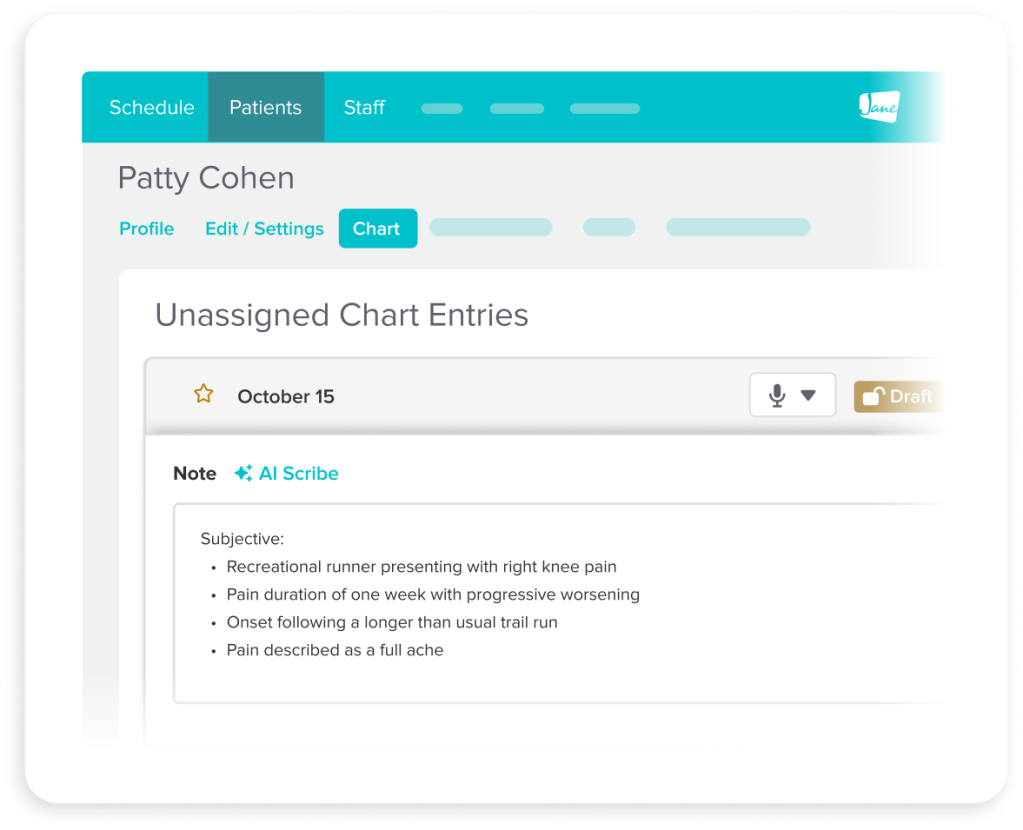
2. Generate a draft note
Once the recording finishes, a draft chart is automatically generated.
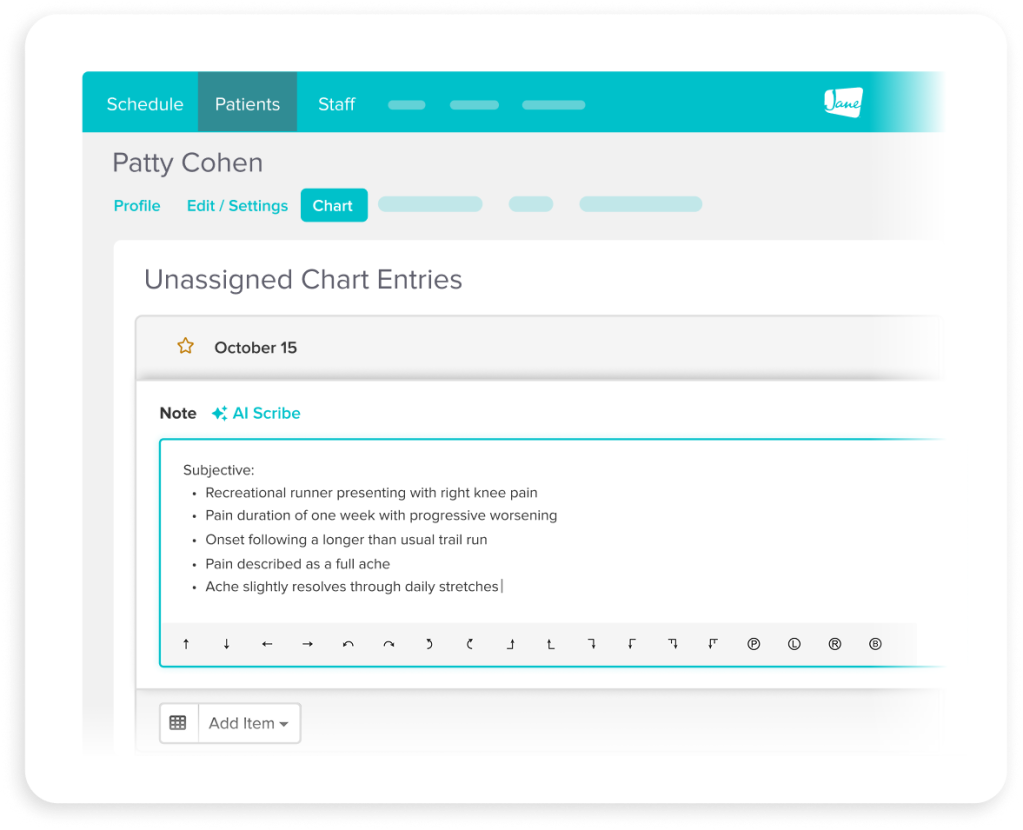
3. Review and refine
Review the chart and make any necessary edits.
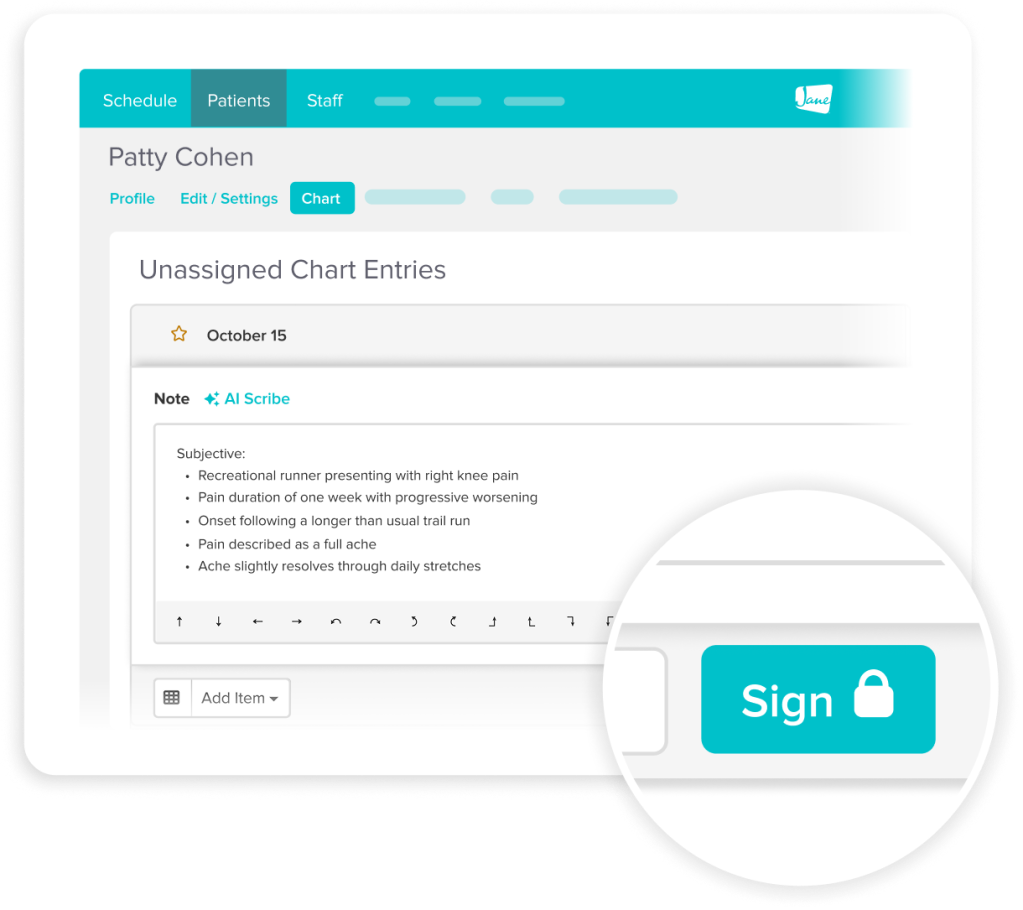
4. Sign with confidence
Once everything looks good, sign and save your patient’s chart.
Testimonials
Loved by 240k+ practitioners
We built Jane to ease the admin load, and practitioners have noticed. With a 4.8-star rating on Capterra and 450+ reviews, Jane is trusted by clinics like yours every day.



Resources
Access thoughtful resources for managing your practice
Video
See AI Scribe in Action
Watch a step-by-step walkthrough demonstrating how Jane’s AI Scribe captures, drafts, and refines clinical notes.

Article
AI Scribe for Health Practitioners
Considering an AI note taker? Here’s what practitioners should know before getting started.

Guide
Get Started with AI Scribe in Jane
Learn how to set up, record, and draft notes with AI Scribe, including privacy guidance, prompts, and practical tips for real clinics.
Why Jane
Designed for the way you provide care

Less admin, more time
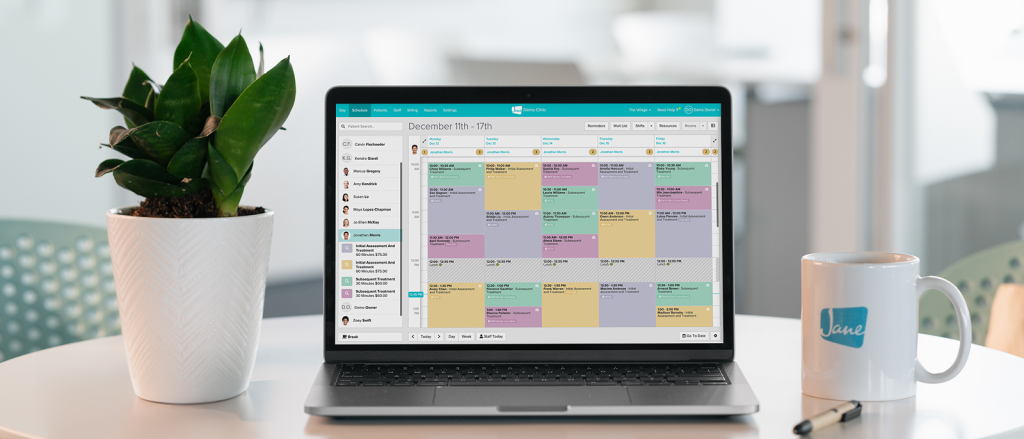
Jane’s all-in-one, easy-to-use software reduces admin so you can focus on doing your most impactful work.
Flexible by design
We know every practice is different. Jane was built to meet the unique and changing needs of your business.

Better patient experiences
Jane makes it easy for patients to keep up with their care, creating great experiences time and time again.

Helpful human support
When you join Jane, you get an expert team and community of helpful people committed to your clinic’s success.
Frequently asked questions
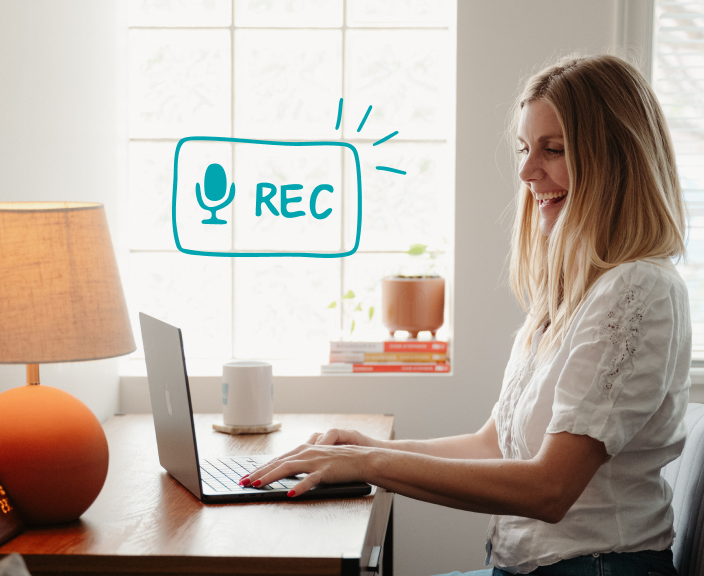
If you have your client's consent, you can record a live session right in Jane or upload an audio file. Or, you can simply dictate your notes into Jane after the appointment. AI Scribe processes the audio to create your chart note, automatically.
AI Scribe is available as an optional add-on for $15/month per practitioner, with unlimited notes included. If you’re just getting started, you can try it out with five free session notes that refresh each month.
That said, AI Scribe is fully optional. You can turn it on or off at any time.
Yes, it fits any discipline and can be customized to match your tone, vocabulary, and session style. We have a template library full of discipline-specific note formats to choose from or modify to fit your needs.
Yes, all audio and charting data is stored securely in Jane and meets health data privacy standards. But it’s the responsibility of the practitioner to double check local compliance laws and regulatory body requirements.
No, your data is not used to train AI models, and any recordings you delete are permanently removed.
Absolutely! You can build your own prompts and templates or use the defaults to match your style.
Yes, you can add AI Scribe's Smart SOAP Note to your existing templates.
Yes, you always have the option to review, edit, and approve before it’s finalized. Your clinical expertise comes first, AI Scribe is just meant to help speed things along.
Yes, you can download, delete, or store audio files in Jane. Plus, you can specify automatic deletion settings that match your practice’s needs, so you’re always in control.
Yes, you may prompt AI Scribe to "consider past charts" and it will access your most recent 10 signed chart entries when forming a draft for your review.

Get started
Run your practice with Jane
Ready to make the day-to-day feel easier? Jane is here to help.